Getting an SSD!

sedrosken

Florida Man
Joined
Nov 20, 2013
Messages
2,170
Location
Eglin AFB Area
Website
sedrosken.net
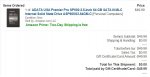
This is the link:

http://www.amazon.com/Kingston-Digi...=1387852049&sr=1-1&keywords=solid+state+drive

It's not the best but it's the best deal I could find for the money. Should work just dandy for me, net a decent speed increase on my aging PDC (turns out I'm not getting that laptop I was telling you guys about).

Thoughts? Keep in mind that this is literally the TOP of my price range. I absolutely CANNOT afford any more than this, I'm actually pushing the envelope as it is.
 
Perfectly respectable. I'd sacrifice some speed for more capacity, but I'm not familiar enough with the competing products in that range to make any recommendations. 60GB should be enough if you are diligent, but 80GB means you wouldn't have to worry as much if you leave some large media files on the desktop.
 
Thanks.

I'm OCD about putting large media files on an external hdd or something similar. Right now my used space on my 250 GB with it (IMO) cluttered beyond belief is hovering around 40 GB.
 
But when I had Skyrim, it jumped up to around 50 GB used, but I got rid of Skyrim (mostly cause I suck at it).

Hindsight being 20/20, I probably should've edited my previous post.
 
I've decided to put the SSD into the laptop (which I actually did get, today in fact). Pentium Dual-Core T4300 @ 2.1 GHz, 4GB RAM, Intel Mobile 45 chipset. Dell Inspiron 1545. Not much of an upgrade, but it's portable and free.
 
After further deep-thinking I've decided not to get an SSD right now after all - - I just went through the trouble of setting up Windows the way I like it, and all my programs too - - I don't want to do that again. Also, I will wait until such time as larger SSDS are in my price range (with everything I have on my HDD, games included, my used space is well over 50 GB). I've repurposed the money toward getting a lap-desk for the laptop as well as a replacement keyboard (current one has a couple missing keys, vacuuming mishap). This little booger can get pretty hot! Now I understand the saying that "Hell is hot... like the bottom of my laptop."
 
It's not that hard to clone from one drive to another, so you wouldn't have to reinstall things, but if you're already over 50GB, a 60GB SSD is too small.
 
My thoughts exactly, but I don't have an easy way to clone hard drives (after purchasing the SSD I'd be el broke-o so no Norton Ghost for me unless I torrent it, which I am not about to do).
 
Srsly? Wow. Well, it's kinda a moot point now, seeing as I am now installing Windows 8. 32 bit, because I heard about PAE and how to use it. I'm sorry for being so wish washy. Thanks for the input.
 
Now Windows 8 is installed. Though I do have settings set and files copied, I do not have apps installed, nor will I install them until I get my SSD, which by the way, I actually am getting. I'm just gonna go the "reset everything" route. A peculiar thing is that PAE is pretty much enabled, but Windows 8 (pro by the way) will not let me use more than 2 GB of it for user-level operations. Which is fine, I guess - - everything runs okay, so...
 
If you're looking to save some bucks, on New Years Eve I picked up the A-Data SP600 that comes with the 3.5" bay adapter and Acronis data migration software for $49.99 shipped free. So, there are deals to be had if you wait for them...
 
How big was it?

Also, just like that, Windows 7 goes back on. My copy of Win8 refused to activate, and I wasn't about to do some hoop jumping for an OS that I really didn't like.

I'm getting the aforementioned ssd, and I'm just going to get rid of all my games and stuff that I don't use. I play a lot of old games, DOS, NES, SNES, N64, GB, GBA, and old Windows games. Diablo 1 and Unreal Tournament as well as Doom 1 and 2 come to mind.
 
The 2014 trial version of TrueImage no longer creates a fully functional boot/rescue environment, which is something that really pissed me off.
Clonezilla has real problems cloning bigger drives on to smaller ones (the most common path for SSD upgrades). It's do-able but it's far from automatic.

I actually suspect that the System Images made with Windows 7's Backup Tool (ironically still called "Windows 7 Backup Tool" in Windows 8) will restore to smaller drives as long as the drive has enough free space for the actual data but so far I've never been in a situation where I've needed to test that.
 
The 2014 trial version of TrueImage no longer creates a fully functional boot/rescue environment, which is something that really pissed me off.
Clonezilla has real problems cloning bigger drives on to smaller ones (the most common path for SSD upgrades). It's do-able but it's far from automatic.
Try Ease Us Todo Backup. There's a free version available for home users.
 
Newegg has a 120GB Kingston V300 for $70 today, if you're a person who gets their email specials. I suspect there will be a LOT of heavily discounted OCZ drives in the very near future.
 
That'd be nice, only I already spent the money - - and after S&H, that price'd likely skyrocket.

What I did was I bought two 8 GB USB sticks (for OS installing purposes), a new keyboard for the laptop, and a new external mouse for the laptop, as the one I'm using now is on loan from my mom.
 
Newegg offers free ground shipping on most non-bulky items these days. Not as handy as Amazon Prime but definitely better than per-item charges.
 
Back
Top